
Viewing Reversed Payouts
You can search for a payout on the Tazapay dashboard and the appropriate status will be visible
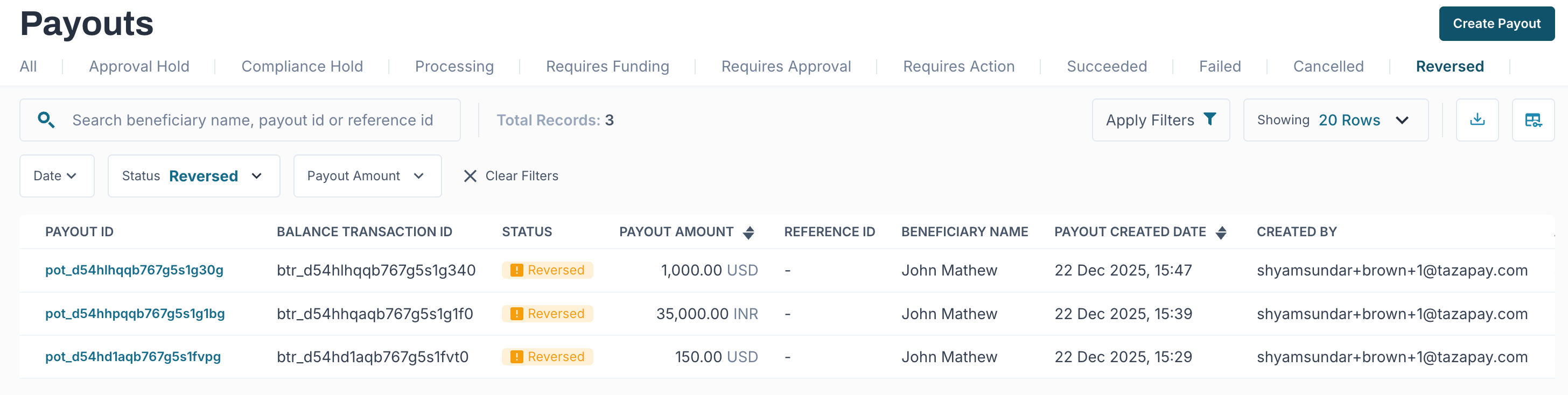
All reversed payouts can be directly viewed from the Payouts section of the TazaPay Dashboard.
To access reversed payouts:
- Navigate to Payouts in the dashboard
- Use the Status filter at the top of the page
- Select Reversed from the list of available payout states
Once applied, the list displays only payouts that have transitioned to the reversed terminal state. Each entry shows the payout ID, amount, beneficiary details, and creation timestamp, with clear visual indication of the reversal status.
Updated about 1 month ago